The mini tool Bookmarks provides a quick overview of the bookmarks in the report(s): where they are used, whether they are corrupt and – in case of selected visuals – which visuals are included in the selection.
Page filter
Use the Page name filter to see which bookmarks (in the top right table) are present where (in table in the middle) on that page:

Bookmark filter
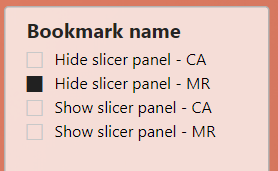
With the Bookmark name filter, you can see where a bookmark is used across the report. In this example bookmark ‘ Hide slicer panel – MR’ is selected. In the top right table, the target page and – if this applies – the number of selected visuals are shown.
For this bookmark, there are 3 visuals in the report that make use of it. Note that one of them is not active (Action On = false). It’s target page is ‘Managing report’ and it has 6 visuals selected. These six visuals are listed in the table on the right bottom.
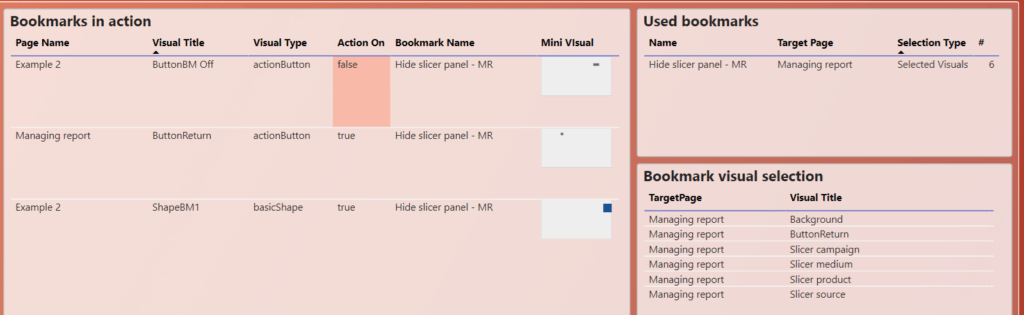
The list of selected visuals is especially useful if you have to adapt reports built in the distant past and/or by others.
Corrupt bookmarks
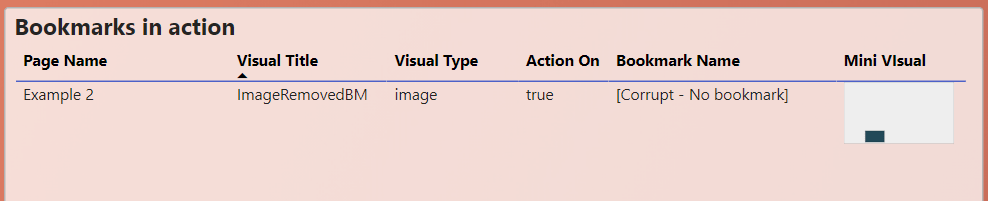
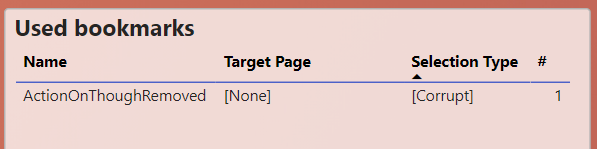
The bookmark analyzer also detects broken bookmarks, whether it is caused by no-longer-existing target pages or no-longer-existing bookmarks.
An example of the first type, is marked in the top right table:
An example of the second type is marked in the table in the middle: